
Custom ERP
ERP built around your business processes
Your business does not work like every other business. That is why we build ERP solutions that fit your processes, teams and growth plans. From CRM and sales to inventory, scheduling, projects and reporting.
How we approach this
Standard ERP packages often force companies into a fixed mould. Digitalnatie builds ERP solutions around the way your teams work today and where you want to grow.
We start from your processes: how a quote becomes an order, how inventory and purchasing relate, who needs which information. Then we build an environment that supports those steps instead of slowing them down.
In practice
Processes that come together in one ERP
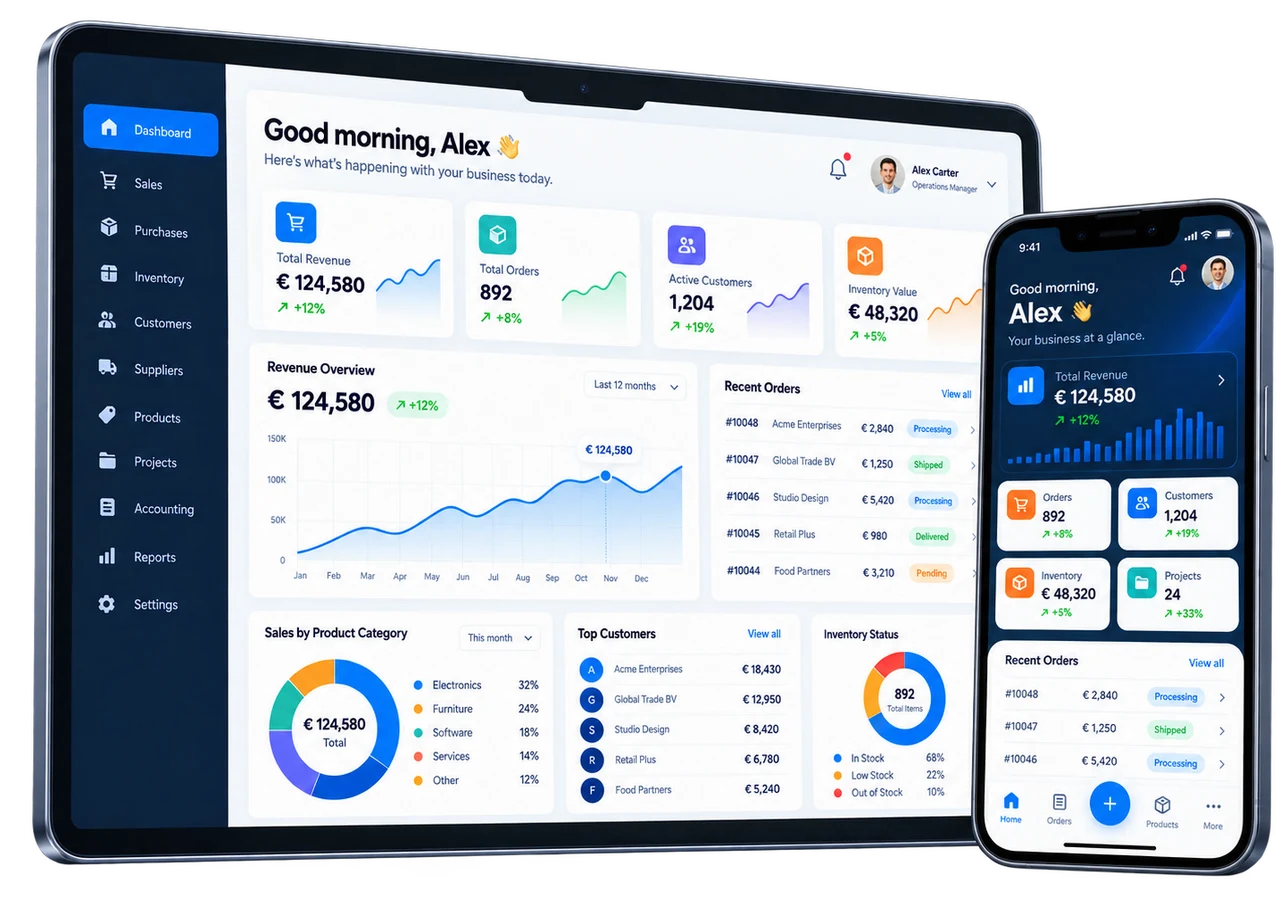
A custom ERP contains the parts your business needs, nothing more. These are the processes we bring together most often.
CRM and sales
From lead and quote to order in one flow, with the full history of every customer.
Purchasing and inventory
Stock levels, supplier orders and receipts that update each other automatically.
Scheduling and projects
Jobs, capacity and deadlines on one schedule, linked to the right customer and order.
Service and field operations
Service jobs, technicians and work orders as part of the same system, not a separate tool.
Invoicing and finance
Invoices straight from orders, projects or service jobs, with a view of what is still outstanding.
Reporting and dashboards
KPIs and reports on current data, without exports to spreadsheets.
Automation and workflows
Recurring steps such as reminders, purchase requests and follow-up tasks run automatically.
Integrations
Connections with accounting, the web shop, e-mail, calendars and other software through APIs and webhooks.
Customer and partner portals
Where it helps: a portal in which customers or partners follow up orders, documents or jobs themselves.
Interactive ERP demo
See what a custom ERP could look like
Pick your industry and click through a fictional ERP environment with CRM, sales, inventory, scheduling, field service and reporting. No sign-up needed.
What we build
What we build for you
Every solution is assembled from the parts your processes need, no more and no less.
- CRM, sales and customer management
- Inventory, purchasing and logistics
- Scheduling, projects and workflows
- Invoicing and business reporting
- Roles and access rights
- Integrations with external systems
Who it is for
Who is this for?
- SMEs and growth companies outgrowing spreadsheets and loose tools
- Companies whose processes do not fit standard ERP packages
- Organisations that want to bring sales, inventory, scheduling and invoicing together
From business process to working software
Frequently asked questions
Questions about Custom ERP
What is the difference between a standard ERP package and a custom ERP?
A standard package imposes a fixed way of working, and your teams adapt to it. With a custom ERP we start from your processes: how a quote becomes an order, how inventory and purchasing relate, and who needs which information. The environment follows those steps, and parts you do not use are left out.
Do we have to introduce every module at once?
No. We usually start with the processes that cost the most time today, for example sales and invoicing or scheduling. Every iteration delivers working functionality that you assess yourself. The ERP then grows with new modules or integrations when your organisation is ready.
Can a custom ERP work with our existing software?
Yes. We connect the ERP through APIs and webhooks with accounting packages, web shops, Microsoft 365, Google Workspace, payment providers and more. Information is no longer copied by hand and stays current everywhere.
How does an ERP project start?
With a no-obligation conversation about your processes, bottlenecks and goals. An analysis follows, from quote to invoice, ending in a concrete proposal with scope, priorities, planning and budget. Design and development only start after your approval.
Also of interest
Related solutions
Custom software
Web applications, portals, mobile apps and dashboards built to fit.
More about Custom softwareField Service Software
Scheduling, field technicians, work orders and invoicing on one platform.
More about Field Service SoftwareE-commerce + ERP
B2B and B2C web shops that share inventory, prices and orders with your ERP.
More about E-commerce + ERP
Ready for the next step?
Put technology to work for your business
Tell us how your organisation works today. Together we look at where software, ERP and automation make the biggest difference.